
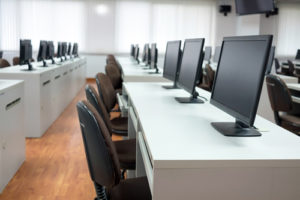
Most students have some kind of computer they can use at home, and many of the providers of software applications running in CFPCA computer labs, including Adobe and Avid, started offering free student licenses for their programs.
Unfortunately, subscription cost wasn’t the only issue. My email box started blowing up with messages from students unable to gain access to the computer lab software they needed, even with a student license.
VPN and VDI approaches fell short
Two commonly-proposed solutions were:
• Establish a virtual private network (VPN), which extends a private network across a public network, so that users can send and receive data over the internet as if their computers were connected directly to the private network.
• Install a virtual desktop infrastructure (VDI), in which desktop computers are virtualized and then hosted on a central server.
However, VPNs and VDIs were not viable solutions for the CFPCA computer labs.
VPNs work by backhauling network traffic, which could create congestion on the university networks and introduce security risks. Also, proper use of VPNs would require students to use school-issued devices with appropriate end-point security installed, which is simply not feasible.
Students have their own personal computers and mobile devices they want to use. CFPCA students own everything from top-of-the-line Mac laptops to tablets and $200 Chromebooks—all of which need to allow students to access computer lab software without physically entering the computer labs.
VDI technology is very complex and expensive to scale, and VDI performance is either a hit or a miss, making it difficult to control. Additionally, Apple doesn’t enable virtualization of the MacOS operating system, so VDIs would not allow students to remotely access the iMac Pro computers in the CFPCA computer labs.
Plus, neither of these technologies work well with large volumes of users, so they weren’t going to provide software access for everyone who needed it.
Providing all students with remote access to computer labs
We were already running Splashtop remote access software to give instructors access to their computers. When COVID happened I contacted the company and asked if they had anything that would work for computer labs, to support both class times and doing homework assignments.
The Splashtop engineers worked with us to add scheduling features to their remote access software. Scheduling was crucial, because CFPCA offers so many classes that require access to the computer lab software. With the new feature, instructors can reserve certain machines at specific times for their classes.
Using any computing device—whether a laptop, tablet, or Chromebook—students can sit in their homes or anywhere else and use the computer lab computers as if they are physically sitting in front of them.
Better than before?
We knew that the computer lab resources would be tied up a lot of the time with scheduled classes. To increase access to the software applications, we also took a bunch of older computers that had been retired from the labs, connected them to the school’s fibre network, and made them available 24/7 for students to work on.
Some students understood this all-hours access to the computer lab to be a once-in-a-lifetime chance. With in-person computer lab use, students might get hands-on experience in sophisticated software programs only during classes, for three-hour time slots a couple of times a week. Now, some students are taking advantage of the expanded remote access to really learn the software applications they’re using—to master them in a way they would have been unable to do before the pandemic.
That’s one of the bright spots of the chaos and disruption caused by COVID-19 restrictions–one we hope to maintain even after the restrictions end.
We’re still figuring out how much on-campus access will be possible at Wayne State in the coming academic year. But it’s great to know that for the 3,500 CFPCA students and their instructors, at least they can continue their university education journey with full access to the computer lab software their classes demand.

Christopher Gilbert is an application technical analyst at Wayne State University in Detroit.
- Preparing with confidence: Reflections on the dissertation proposal defense - September 18, 2026
- Beyond the gotcha game: Moving from AI detection to verification-first supports stronger academic integrity - September 16, 2026
- Choose encouragement before negativity sets the tone - September 11, 2026